

 See My Latest Article on HelloNation
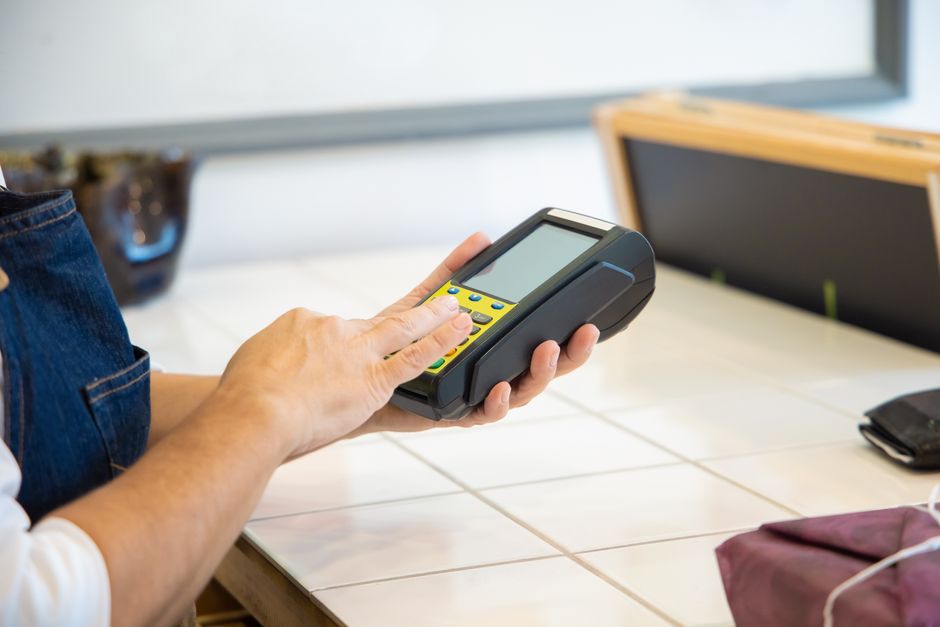
What are mobile payment solutions?
Mobile payment solutions let a small business accept payments, issue receipts, track transactions, and sometimes manage inventory through a smartphone, tablet, or portable card reader. They can support tap-to-pay cards, mobile wallets, chip cards, and manually entered transactions, depending on the system.
For many small businesses, the main benefit is portability. A service provider can accept payment at a customer’s property, a maker can sell at a seasonal event, and a home-based business can take deposits without installing a traditional checkout counter.
Mobile payments are different from simply receiving money through a personal payment app. A business-focused system generally provides transaction records, refunds, sales reports, employee permissions, and tax-related documentation. Those features can make daily administration more manageable.
How can a small business accept payments by phone or tablet?
A typical setup includes three parts:
- A smartphone or tablet with current operating-system updates
- A payment application connected to a business account
- A card reader or built-in tap-to-pay function, when supported
Customers may pay by inserting a chip card, tapping a contactless card or mobile wallet, or using another supported method. Some systems also allow payment links or online invoices that customers open on their own devices.
The business should confirm that the device is compatible with the payment application before purchasing equipment. Compatibility can depend on the operating system, wireless connection, near-field communication capability, and whether the device has a secure screen-lock function.
A mobile checkout can work well for businesses that do not need a fixed register. It may be less suitable for operations with multiple checkout stations, complex inventory requirements, or a large number of employees who need different levels of access.
Is mobile payment acceptance secure?
Mobile payments can be secure, but the security depends on the complete setup rather than the phone alone. A reputable system should protect payment information during transmission, limit the amount of card data stored by the business, and use payment hardware and software designed for card acceptance.
Small businesses should take several basic precautions:
- Use a strong device passcode and automatic screen locking.
- Turn on multi-factor authentication for the payment account.
- Keep the phone, tablet, and payment application updated.
- Do not install payment software from unofficial sources.
- Avoid processing transactions over unsecured public Wi-Fi when another connection is available.
- Keep the payment reader in the owner’s or manager’s control.
- Review transaction alerts and account activity regularly.
- Do not write down full card numbers or store them in ordinary notes, text messages, or spreadsheets.
Payment card security standards can apply even when a business outsources most payment processing. Outsourcing reduces some responsibilities, but it does not eliminate the need to understand how payment information is handled or whether a required self-assessment applies.
A system that uses a secure, approved card reader is generally preferable to entering card numbers manually. Manual entry can increase the risk of errors, disputes, and unauthorized use, especially when a card is physically present but not read through the chip or contactless function.
What should a business compare before choosing a system?
The advertised transaction rate is only one part of the cost. A more useful comparison includes the full operating arrangement:
- Transaction pricing: Check whether rates differ for tap, chip, manually entered, online, or keyed transactions.
- Equipment costs: Determine whether the reader is purchased, rented, or included under certain conditions.
- Monthly charges: Look for account, software, reporting, or inactivity fees.
- Deposit timing: Understand when funds normally reach the business bank account.
- Refund handling: Confirm whether the original transaction fee is returned when a customer receives a refund.
- Chargebacks: Review the process for responding to disputed transactions.
- Receipt options: Check whether receipts can be printed, emailed, or sent by text.
- Accounting compatibility: Determine whether reports can be exported in a format useful for bookkeeping.
- Connectivity requirements: Identify what happens if cellular service or Wi-Fi is unavailable.
- Support and access controls: Make sure the system allows appropriate employee permissions and account recovery.
The lowest visible fee does not always produce the lowest total cost. A system with fewer surprise charges, clear reporting, and reliable deposits may be easier to manage even if its basic rate is not the lowest available.
Can mobile payments work without an internet connection?
Some systems offer limited offline functionality, but offline acceptance is not automatically risk-free. A transaction stored temporarily on a device may not be approved until the device reconnects. If the payment is later declined, the business may be responsible for the unpaid amount.
This issue can matter during outdoor events, property visits, building work, or seasonal activities where cellular service may be inconsistent. A business should find out:
- Whether offline transactions are supported
- How long transactions can remain offline
- Whether there is a dollar limit
- What happens if the device is lost before reconnection
- Whether the business assumes the risk of a later decline
In a city where winter weather can affect travel, power, and connectivity, a basic backup plan is sensible. That may include a charged power bank, a second approved connection, printed invoices, or a clearly documented process for recording unpaid orders without retaining sensitive card information.
Are mobile payment apps suitable for business records?
A business payment system can be useful for bookkeeping because it creates a digital record of sales, refunds, taxes, tips, and deposits. However, payment reports are not a substitute for complete business records.
The deposited amount may differ from gross sales because of processing fees, refunds, chargebacks, tips, or timing differences between the sale and the bank deposit. Records should reconcile the original transaction total with the amount actually deposited.
It is also wise to separate business and personal payment activity. Mixing the two can make income tracking, expense documentation, and tax preparation more difficult. Payment processors may issue annual transaction reporting forms in some circumstances, but those forms do not replace the business’s responsibility to track all income accurately.
What common mistakes should small businesses avoid?
Several problems occur because mobile payments appear simple at first:
Using a personal account for business sales
Personal accounts may not provide the reporting, permissions, dispute handling, or business terms needed for regular commercial activity.
Ignoring refunds and disputes
A refund should be recorded in the same system as the original sale. Disputed transactions should be reviewed promptly, with receipts, order details, and delivery records retained as appropriate.
Letting anyone use the account
Employees should receive only the access needed for their duties. Shared passwords make it difficult to determine who performed a transaction or changed an account setting.
Forgetting tips and taxes
The payment screen should clearly distinguish product or service charges, sales tax when applicable, tips, and other amounts. Clear records reduce confusion for both the customer and the business.
Relying on one device
A lost, damaged, or uncharged phone can interrupt sales. A written emergency procedure and a backup charging option can prevent a minor equipment problem from becoming a full-day disruption.
When is mobile payment a good fit?
Mobile payment acceptance is often practical for small operations with one or a few workers, mobile service calls, appointments, pop-up sales, classes, markets, or occasional in-person events. It can also complement an online invoice process for deposits and balances.
The right choice depends on transaction volume, staffing, connectivity, reporting needs, customer preferences, and the amount of payment information the business handles. A careful setup should make payment easier without creating unnecessary security, recordkeeping, or connectivity problems.